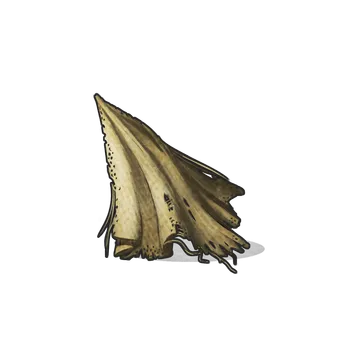
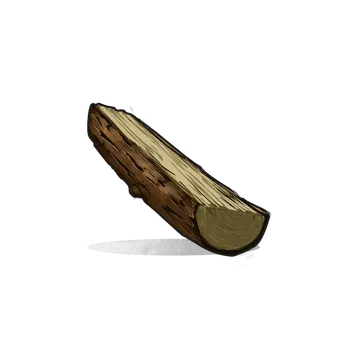
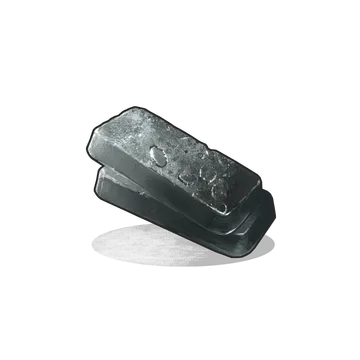
Three items: Cloth, Metal and Wood
The resources section holds three Steam inventory items named after the basic materials of the game: Cloth, Metal and Wood. They are not skins. They have no artwork to compare and no variants, and one unit of Wood is the same as any other unit of Wood.
Not the wood and metal you farm
The most useful thing to know before buying: these are inventory items, not the materials you gather on a server. Buying Wood here does not put wood into your Tool Cupboard, and Metal from this page will not upgrade a wall. What you collect with a hatchet in the game stays on that server and is gone with the wipe. Inventory resources sit in your Steam inventory, outside any server, and wipes do not touch them.
So this section will not speed up your start after a wipe. These items are used inside the Steam inventory, alongside skins and containers. If you already know which material you are short of and how many units, buy exactly that; one material does not stand in for another. If you are not sure why you would need them, you most likely do not, and the skin sections are the better place to look.
Names that only sound like resources
Many Rust skins carry "metal" or "wood" in the name. Abyss Metal Door, Death Metal Large Box and Full Metal Kilt are skins for a door, a box and a piece of armor. Neon Wood Storage and Graffiti Wood Storage are box skins labeled for storing wood, and Wood Camo Sleeping Bag is a sleeping bag skin. The resources themselves are named with a single word. If anything stands before or after "Metal" or "Wood" in a name, you are looking at a skin, and its place is in the doors, storage, armor or base sections.
How to choose and buy
There is nothing to compare between copies, so the choice comes down to the material and the number of units. Check the name on the item card: it should be the single word and nothing else. Then sign in through Steam, which does not involve giving the site a Steam password, pay, and accept the Steam trade. The units show up in your Rust inventory on Steam.
FAQ
Can I use bought Wood or Metal to build on a server?
No. These are Steam inventory items, separate from the materials you gather and spend inside the game.
Are Rust resources skins?
No. Cloth, Metal and Wood are plain inventory items with no design; every unit is identical.
How do I tell a resource from a skin with "metal" in its name?
A resource is named with one word. Longer names such as Abyss Metal Door are skins for the item mentioned in the name.
 CS2
 Rust
 Dota 2
 Standoff 2soon
 Deadlocksoon