
What the Interface section covers
Interface items change the frame around the match instead of a hero: the loading screen before the game, the HUD during it, the cursor, the weather over the map and the emoticons in chat. None of them is tied to a hero, and most are visible only to you. That makes the choice a practical one: pick what is comfortable for your own eyes.
Loading screens, HUDs and cursors
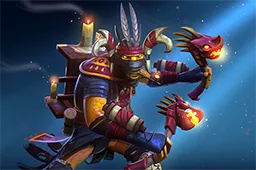
Loading screens are by far the biggest group. Most were made as companions to hero sets and carry the set's name, so searching for a set name plus 'Loading Screen' usually finds the match. Event screens come in series, such as Aghanim's Labyrinth 2021 Loading Screen I to IX or the four Battle Pass 2022 screens. A loading screen is the cheapest way to keep a favorite set's artwork without owning the set.
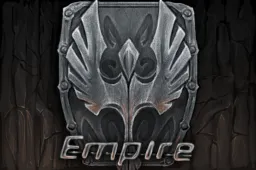
A HUD skin redraws the panels around the minimap, the abilities and the shop for the whole match. There are event HUDs (several The International years, Battle Pass 2022, Aghanim's Labyrinth 2021), team HUDs (Alliance, Evil Geniuses, Team Empire) and studio ones like DotaCinema and Beyond the Summit. You look at the HUD for the entire game, so prefer one that keeps the minimap and cooldowns easy to read over one that is merely ornate.
Cursor packs restyle the pointer; there are packs for The International 2015, 2016, 2017 and 2019, Diretide 2020 and hero-themed ones such as Acid Hydra and Warcog. A cursor has to be found instantly in a fight, so a high-contrast pointer is more practical than a delicate one.
Weather, emoticons and chat wheel
Weather effects change the atmosphere over the map: Ash, Aurora, Harvest, Moonbeam, Pestilence, Rain, Sirocco, Snow and Spring, all of them in Genuine quality in the catalog. Weather stays on screen over the whole map for the entire match, so choose a mood you will not tire of.
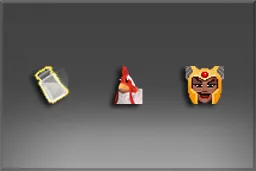
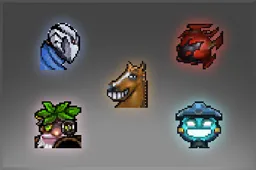
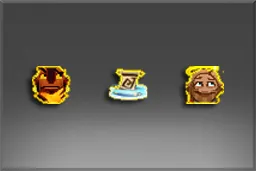
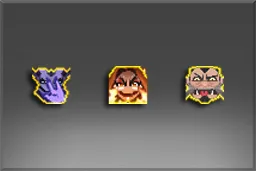
Emoticons are the interface items other players notice, since they appear in chat. They come as single emoticons, such as Aegis 2018 and Aegis 2019, and as packs: Emoticharm 2015 and 2016, The International 2015 to 2017. A pack is the better buy when you want variety; a single emoticon when you want that one picture.
Chat wheel lines belong to this section as well, but the catalog has none as separate tradable items. If you want something teammates will see or hear from you, emoticons are the closest thing here.
Buying and equipping
Pick the item, log in with Steam (the site does not ask for your Steam password), enter your trade link and pay. Accept the trade offer in Steam and the item is in your Dota 2 inventory. HUDs, cursors, weather and loading screens are equipped in the loadout under global items. On an account with no mobile authenticator Steam may hold the trade, and it completes after Steam releases it.
FAQ
Do other players see my HUD or loading screen?
No. HUD skins, cursors, weather and loading screens are shown on your screen only. Emoticons are seen by everyone in the chat.
Do I need the hero set to use its loading screen?
No. A loading screen is a separate item and works without the set it was drawn for.
Will an interface item change when I switch heroes?
No. It stays equipped across all heroes until you replace it in the loadout.
 CS2
 Rust
 Dota 2
 Standoff 2soon
 Deadlocksoon